


We examined the Wazamba Casino app on numerous phones and tablets popular in Finland, and registration is the step that raises the most practical questions https://wazamba-kasino.fi/app/. The app starts with a straightforward sign-in screen, but new players must tap the registration option before they can see which fields the form requires. This guide walks through how to download the app, what phone and tablet specs are realistic, and how the account creation steps work from start to finish. We also cover the features that activate after the first login, how to deal with verification, and what to do if the form does not accept a Finnish phone number or address. Everything here represents the latest app version we could access, and we present it as a clear walkthrough rather than a assurance that every person’s experience will match ours. We stick to practical details because the registration page itself leaves most of its instructions deliberately brief.
Sign-Up Problems and How to Fix Them
Most sign-up glitches in the Wazamba Casino app come from minor form errors rather than from the app itself. We’ve noticed Finnish players enter a date of birth in the wrong order, employ a nickname instead of a legal name, or misenter an email address that is then needed for confirmation. If the app does not accept a field, the best first step is to remove the text and type it again carefully. Some users also mention the app refuses a Finnish postal code if the country selection is still set to another region. Changing the country field first usually resolves this. A weak internet connection can result in the form to freeze or the submit button to appear dead. Shutting down the app and opening it again often recovers the session without losing a fully entered form, but we don’t recommend waiting too long because some sessions expire for security reasons. If a confirmation email doesn’t show up, examining the spam folder is practical before using the resend option. For bigger issues, customer support is accessible from inside the app, and we suggest taking a screenshot of the error message so support can locate the problem faster.
Setting up a New Account via the App
The registration form in the Wazamba Casino yle.fi app requires a set of basic details before the first deposit can be made. We advise filling out the form only after the app is installed and a stable connection is present, because the session can time out if the form sits half-filled for too long. The typical fields include an email address, a password, a preferred currency, and personal details such as name, date of birth, and address. Players in Finland should enter their details precisely as shown in official documents. Mismatches here often delay the verification stage. The app also requests a phone number, and we advise using a mobile number that can receive text messages in case the casino sends security codes. No registration is complete until the terms and privacy policy are accepted, so those parts are worth reading before submitting the form. After the first successful login, the app may show a bonus offer or prompt whether the player wants to set deposit limits immediately. We see this as a useful moment to configure the account before any real-money play begins.
Verification and Player Controls
Wazamba Casino uses a verification process that is typical for licensed international gambling sites, and Finnish players should be expect it shortly after registration. The app often allows deposits and some play before verification, but a withdrawal request usually starts a document check. We suggest having a valid passport or ID card, a recent utility bill or bank statement, and the payment method details on hand. The documents can be submitted through the account section of the app, and the review can take anywhere from a few hours to a couple of days according to workload. Finnish addresses and personal identity codes are accepted in the profile fields, though the exact format can differ between app versions. Alongside verification, the registration flow includes responsible gaming tools that let players set deposit limits, loss limits, and session reminders. We choose to activate these controls immediately, rather than waiting until a problem surfaces. The settings aren’t hidden; they are located in the profile menu after the first login and can be adjusted later. This combination of verification and player protection is part of why the registration process feels longer than a simple sign-up page.
What Transforms After Registration
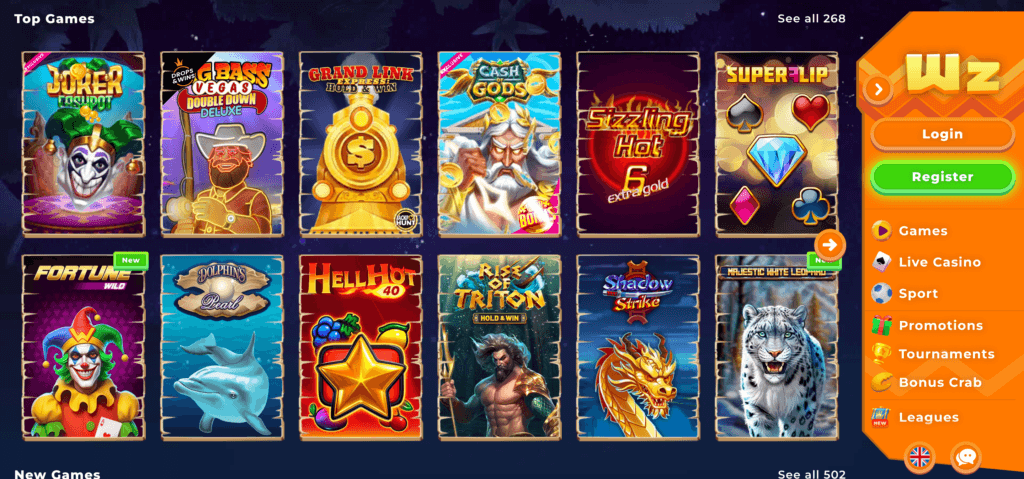
After a new account is live, the app interface shifts from a compact registration screen to a full casino lobby including game categories, promotions, and a cashier area. We’ve found the first thing many Finnish players see is the sheer number of slots and live dealer tables that become apparent all at once. The home screen also displays the current balance, accessible bonuses, and any active tournaments. Registration activates the deposit options, which usually include payment methods common in Finland such as bank transfers, card payments, and e-wallets. Withdrawals utilize the same menu, but they require verification as described above. The app retains login sessions on trusted devices, so revisiting the casino is usually a single tap rather than typing a password each time. We still suggest logging out on shared devices and using a screen lock where possible. Notifications about promotions and new games can be adjusted in the app settings, and we generally disable them for a quieter experience. Registration is the starting point, but the app’s real functionality becomes evident only after the first few minutes in the lobby.
Depositing, Cashouts, and Personalized Features
Upon registration, the cashier area in the Wazamba Casino app provides several transaction methods pertinent to Finnish users. We’ve observed the minimum deposit is inclined to be low, and many bonus offers connect to the first transfer from a new account. The exact list of available methods can depend on the currency and the player’s location, so it’s prudent to check the cashier before completing registration if a specific payment provider is important to you. The app also gives returning players access to account history, bonus progress, and loyalty features that aren’t visible to site visitors. We believe the transaction history especially useful for tracking deposits and withdrawals without logging into the desktop version. Custom features like favourite games and recently played titles show up once a player has opened a few games, making the lobby more pertinent over time. Because these settings are stored in the account, they follow the player across devices. A Finnish player can create an account on a phone and later open the same account on a tablet without losing game history or responsible gaming settings. The app considers the account as one profile regardless of installation method.
Getting the Wazamba Casino Application
Android Setup
Finnish players on Android typically won’t find the app in the Google Play Store. Casino apps that deal with real-money gambling encounter restrictions in many regions. We advise visiting the official Wazamba Casino website from the browser on the Android device and finding the app download link. After the APK file is downloaded, the phone may show a warning about installing from unknown sources. That is typical for apps distributed outside a store, and it only functions without hiccups if the file is from the official site. We advise checking the file name and size before opening it, then allowing the installation permission just for that download. Once the app is set up, the Wazamba icon appears on the home screen and the registration page can be launched right away. You don’t need to keep the original APK file, but it can save time if the app has to be reinstalled later.
Installing on iOS
For iPhones and iPads in Finland, the installation path depends on how Wazamba Casino releases its current iOS version. Sometimes the app appears directly in the App Store, and we advise searching for the brand name exactly as it is spelled. If a native app isn’t present, Finnish players can still set up a home screen shortcut that opens the mobile casino in a full-screen browser session. This method avoids a separate download and leaves no extra app bundle on the device. We’ve discovered the shortcut works a lot like an installed app, with access to registration, deposits, and support. To make it, open the official Wazamba mobile site in Safari, tap the share icon, and select the option to add to home screen. After that, the shortcut appears with the Wazamba name and opens with one tap. The registration form is identical to the one in the downloadable version, so neither way creates a split account structure.
Compatible Devices and Technical Requirements

The Wazamba Casino app is built to function on a large selection of mobile devices, but we have observed older hardware can seem slow during game loading or when navigating between sections. For Android, we recommend a device with at least 3 GB of RAM and a modern operating system, Android 8 or newer serving as the optimal baseline. Screen size has less impact than available memory, as the app fetches live game previews and promotional banners simultaneously. For iPhones and iPads, iOS 12 or later is a practical minimum, but newer versions provide smoother updates and tighter security. We also advise leaving enough free storage space for temporary files, casino lobby images, and future app updates. A consistent internet connection is more important than raw processing power, particularly for live casino tables that transmit video. The app operates on tablets as well as phones, but some interface elements are laid out for portrait use on smaller screens. A mid-range phone from the last few years is what we’d call the most trustworthy starting point for Finnish players.
Safety Guidelines for Finnish Users
Finnish users often wonder whether a casino app is secure to download and register with, and we address that question from a hands-on angle. The Wazamba Casino app should only be installed from the official site or an authorized store listing, because unofficial APK sources can tamper with the file. We recommend verifying that the website address is spelled correctly before installing anything, since lookalike sites are a known risk. The app itself uses secure connections for sign-up, deposits, and managing your account, meaning data transmitted between the device and the casino server is not exposed to simple interception. We also suggest choosing a robust password that isn’t reused from other services, and activating two-factor authentication if the profile menu provides it. On the device side, ensuring the phone operating system current minimizes the likelihood of an outdated security weakness impacting the app. Responsible gambling features add another level of protection after registration, and Finnish players are able to use them to hold gambling within planned limits. In our view, registration is not riskier than registering for other financial or leisure services, as long as the player utilizes the authorized app and takes care to the particulars.